
One Way Tickets Weapons Not Firing Fixes and Causes
One Way Tickets weapons not firing usually occurs when vehicle energy runs out, device inputs fail on the lower control panel, or specific items like the boomerang encounter targeting bugs.
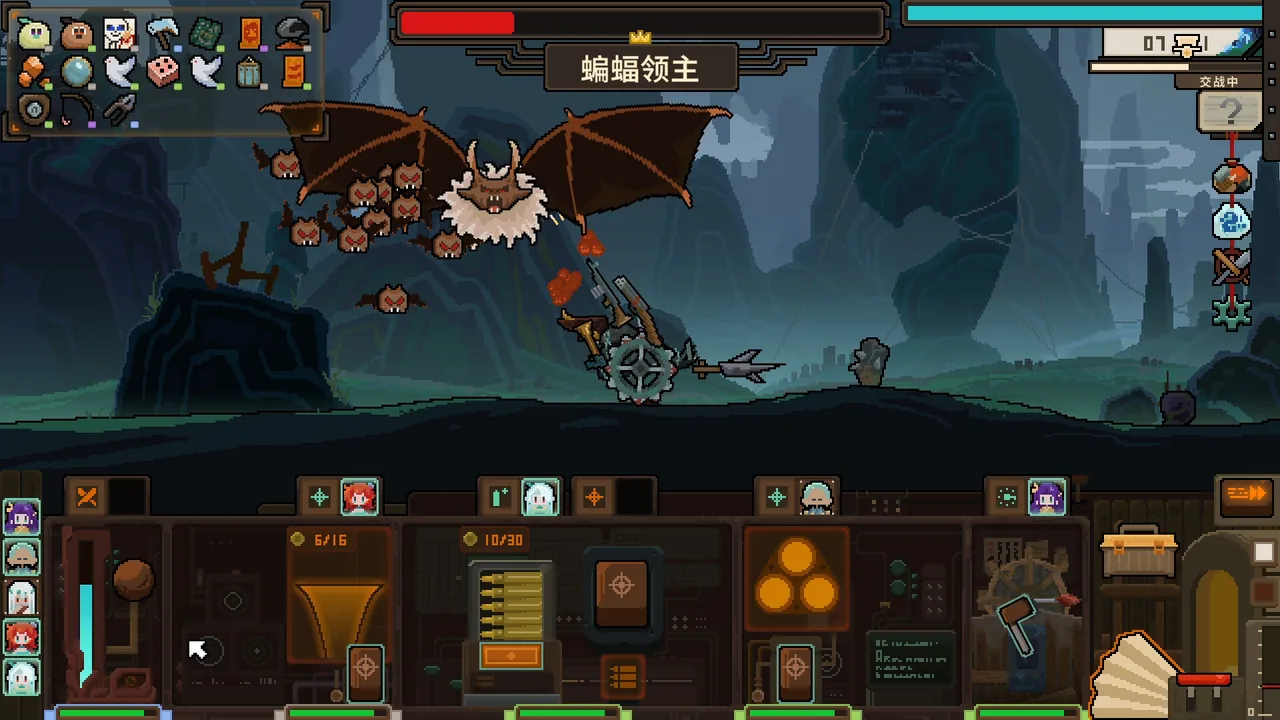
One Way Tickets weapons not firing usually occurs when vehicle energy runs out, device inputs fail on the lower control panel, or specific items like the boomerang encounter targeting bugs.
Vehicle Energy Depletion
The primary in-game reason a mounted weapon stops shooting is resource exhaustion. Combat interactions require continuous power, making active energy management a core requirement during each run. When energy reserves drop to zero, mounted guns, cannons, and swinging attachments halt their attacks entirely until reserves recover.
Monitoring the gauges on the vehicle control panel prevents sudden combat lockups. Drivers must balance vehicle acceleration, ramming actions, and manual firing to prevent power starvation while navigating road hazards.
Control Panel and Input Freezes
The combat layout in One Way Tickets separates the action into two distinct screen areas. The top screen displays your vehicle racing through biomes, while the bottom section hosts the vehicle control panel.
All offensive devices trigger through interactions on this lower panel. Players on the Steam community forums report instances where aiming registers improperly and attacks freeze during dense encounters. Because the title supports a mouse-only control scheme alongside standard inputs, unresponsiveness often stems from missed clicks on device switches or rapid input queues overwhelming active device commands.
Known Weapon and Targeting Bugs
Certain weapon types suffer from mechanical targeting glitches rather than standard cooldowns. Community feedback on the Steam discussions highlights distinct bugs across specific ranged equipment:
- Boomerang Targeting Failures: Player reports show that the boomerang weapon frequently fails to engage enemies due to internal targeting failures.
- Rolling Log Projectile Glitches: Forum discussions identify an issue where the rolling log projectile either disappears immediately or fails to fire from the vehicle frame.
- Aiming Lockups: Several player threads document instances where ranged weapon targeting freezes, leaving weapons stuck in an idle state despite enemies remaining within visible range. Connected aiming problems compound these issues during boss encounters.
Weapon Failure Causes and Practical Workarounds
| Failure Scenario | Identifying Trigger | Operational Action |
|---|---|---|
| Zero power shutdown | Energy meter drops to empty on the bottom display | Halt manual device clicks to let vehicle energy recover |
| Device click stall | Control panel buttons do not register weapon swings | Re-click device icons or reassign companions to the station |
| Boomerang targeting glitch | Weapon equips properly but ignores visible enemies | Swap out the item at safe zone merchants |
| Rolling log launch failure | Projectiles vanish on trigger or do not leave mounts | Replace projectile mount in camp before starting a new run |
Future Tech released rapid post-launch patches including versions v0.8.0.1 through v0.8.0.4 to address stability, localization, and mechanical problems. Keeping the Steam client updated applies these hotfixes directly to resolving device launch errors.
Next step
Worm Boss Bug
Review details about the reported worm boss issue and track current Early Access updates for One Way Tickets.
Related Guides
Worm Boss Bug
Review details about the reported worm boss issue and track current Early Access updates for One Way Tickets.
Lag Fixes
Review the technical engine causes behind frame drops in One Way Tickets alongside player-tested display and session workarounds.
Rolling Log Bug
Learn why rolling log weapons stop firing or phasing through targets in One Way Tickets, alongside official patch fixes and player workarounds.