
One Way Tickets Lag Causes and Performance Fixes
One Way Tickets lag stems from Unity garbage collection delays, scene reload loops, and delta time clamping during extended runs. Switching to windowed mode and restarting runs help restore normal game speed.
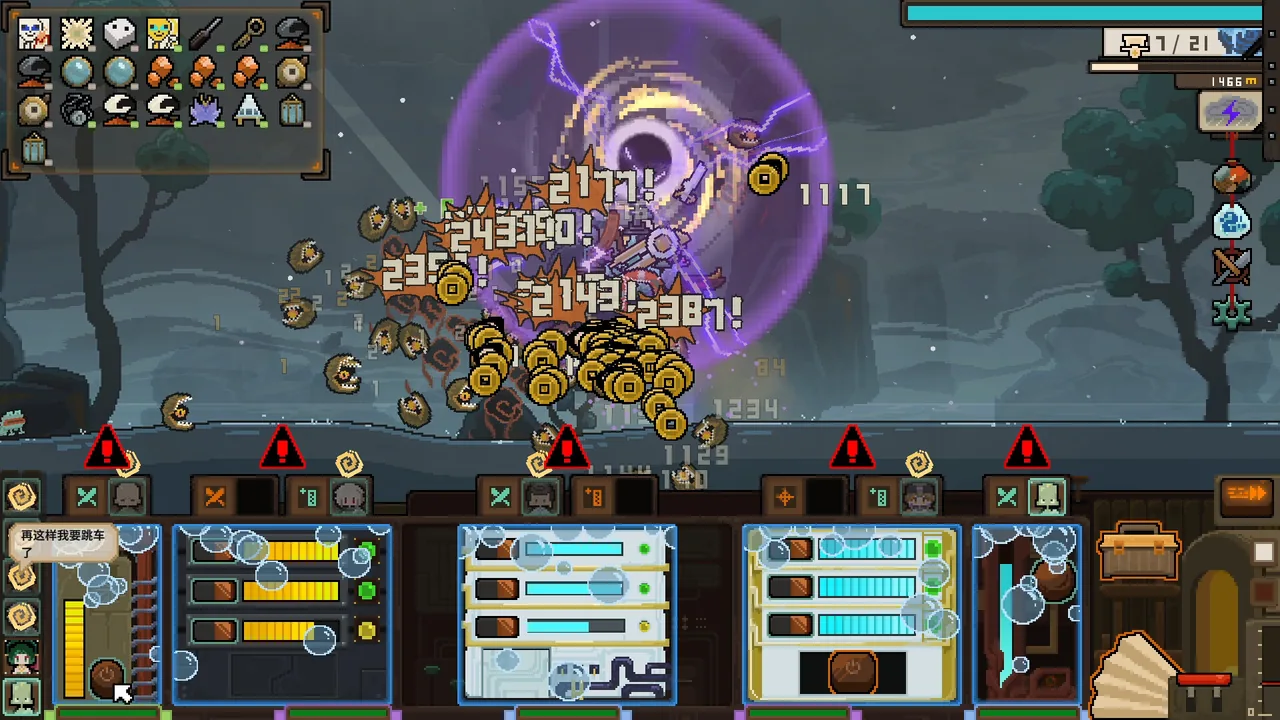
One Way Tickets lag stems from Unity garbage collection delays, scene reload loops, and delta time clamping during extended runs. Switching to windowed mode and restarting runs help restore normal game speed.
Engine Bottlenecks Behind Frame Rate Drops
Performance degradation in One Way Tickets produces a distinct slow-motion effect rather than simple visual skipping. Telemetry logs shared on the Steam community forums for build 26180563 reveal that the game runs on Unity version 2022.3.17f1c1 under Direct3D 11. Inside the engine configuration, the fixed timestep is set to 0.02 seconds while the maximum allowed timestep is set to 0.3333333 seconds.
When intense scenes cause the frame time to spike past 333 milliseconds, Unity clamps the delta time value. Because the internal time scale remains locked at 1.0, in-game speed scales down relative to actual frame delivery. A drop to 1.5 frames per second cuts the perceived game speed in half, while dropping to 0.75 frames per second makes the game run at one-quarter speed.
This frame timing breakdown directly impacts physics calculations. Hitboxes evaluate discretely across each frame step. When frame intervals stretch across hundreds of milliseconds, fast-moving items skip target boundaries entirely. This behavior triggers the rolling log bug, where logs stack together without registering impact, and leads to instances of weapons not firing due to delayed animation and collision updates.
Memory Accumulation and Scene Reloading
Log files show that extended play sessions suffer from memory bloat caused by unreleased assets and repeated scene initialization. During a single play session, the garbage collector marking phase (MarkObjects) increases its pause time from an average of 11.3 milliseconds during early nodes to 97.8 milliseconds in late nodes, reaching peak pauses of 120.7 milliseconds. Because garbage collection marking runs on the main thread, each pause produces an immediate freeze.
This memory overhead builds up through repeated sub-scene loading cycles:
- Node instances like sub-scene 420405 reload up to nine times in a single session without reusing cached assets.
- Each redundant reload executes full asset unloading and rebuilds merchant inventories, including device, relic, character, and repair shops.
- Tracked loaded objects climb from an initial count of 4,139 to over 85,289 objects before stabilizing.
- Returning to camp leaves residual memory intact, raising camp baseline object counts from 55,713 to 65,228 across successive visits before spending materials on camp upgrades.
Scene complexity multiplies this memory load in later stages. In advanced biomes such as the Crown Sea, standard enemy groups scale from 36 up to 76 encounters per run. Additional weather enemy groups add 20 to 40 further combat spawns, placing severe strain on the garbage collection pipeline.
Performance Workarounds and Settings
Players on the Steam discussion forums have tested several methods to mitigate frame drops during long sessions.
| Method | Target Issue | Required Action |
|---|---|---|
| Windowed display mode | Multi-monitor stuttering and fullscreen display desync | Switch display settings from fullscreen to windowed mode |
| Session restart | Memory bloat from object buildup and garbage collection spikes | Exit to the main menu or desktop between runs to clear active memory |
| Minimum hardware audit | Hardware bottlenecks below engine baselines | Verify that the system meets the dual-core and 8 GB RAM threshold |
Switching from fullscreen to windowed mode resolves display stuttering reported on multi-monitor configurations. To clear accumulating objects and reset garbage collection pauses, restart the game client between long runs rather than chaining multiple excursions continuously.
System Specifications and Patch Updates
Future Tech lists the following minimum hardware requirements on the official Steam store page:
- Operating System: Windows 10 64-bit
- Processor: Intel Core i3 Dual Core
- Memory: 8 GB RAM
- Graphics Card: NVIDIA GeForce GTS 450 or AMD Radeon HD 5570
- Storage: 4 GB available space
- Sound Card: Windows compatible audio device
The developer released daily hotfixes following launch, including versions v0.8.0.1 through v0.8.0.4. Keeping the game client updated through Steam ensures that memory handling and scene reloading optimizations deploy directly to your installation.
Next step
Rolling Log Bug
Learn why rolling log weapons stop firing or phasing through targets in One Way Tickets, alongside official patch fixes and player workarounds.